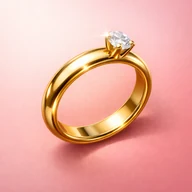
Ring sizer vs virtual try-on: which tool do you need?
Use a ring sizer when your question is about a measured opening, circumference or size conversion. Use virtual try-on when your question is how a style might look. A preview is not a fit test, and a size number does not show how a design looks on your hand. Ring Sizer offers both types of tools, but their results should be kept separate.
A convincing image of a ring on your hand can feel more useful than a list of millimetres. It answers a visual question immediately. The mistake is treating that answer as if it also established the size to order. A ring can look proportionate in a preview and still be too tight to pass the joint, too loose to stay secure or different from the finished piece.
This comparison is published by Ring Sizer, which offers measurement and preview features. Product information was checked on 18 October 2026. The examples are illustrative, not results from an independent accuracy trial. The aim is to help you choose the right tool for your question, including situations where neither digital result is enough to place an order.
Ask what evidence the decision needs
Start by finishing the sentence “I need to know...” If the missing information is a finger’s approximate circumference, an existing ring’s inner diameter or a conversion between systems, you need measurement information. A rendered image cannot fill in those units just because it looks realistic or includes a recognisable hand.
If the missing information is whether you prefer a delicate band, a broad face or a different metal colour, an illustrative preview can help you organize your preferences. It may make a conversation about style easier. That does not turn the image into a dimensional drawing, an exact view of the seller’s product or evidence of the finished ring’s physical comfort.
| Question | More relevant tool or evidence | What it still cannot establish |
|---|---|---|
| What is this round ring’s inner opening? | A calibrated measurement of the opening | The fit of a different width or profile |
| What does my measurement mean in another system? | A converter plus the seller’s chart | Universal agreement between every retailer’s labels |
| Would I like this general style on my hand? | An illustrative virtual try-on | Exact dimensions, colour, stone quality or fit |
| Will the finished band pass my joint comfortably? | A suitable physical fitting sample | Every future change in the hand |
| Can this maker produce my chosen design? | The maker’s specification and discussion | Anything not agreed for that actual order |
What a ring-sizing tool measures
A screen comparison starts with a physical reference and a suitable existing ring. You check the display scale, then match the empty inner opening rather than the outside metal. A clear reading needs appropriate placement and a view from above. Repeating the placement helps you understand whether you can reproduce the estimate, not whether you have eliminated every error.
If no ring exists, a preliminary paper-strip reading records finger circumference instead. That is a different measurement, with tension and joint-clearance limitations. You cannot silently treat the strip as if it were the rigid inside opening of a finished band. The measurement-method comparison explains that distinction without requiring you to choose a particular app.
The output should be a physical value with a unit and method, followed by a clearly labelled conversion if you need one. Ring Sizer can help retain that record. It cannot determine that a wide ring will feel comfortable solely because a narrower reference ring measured correctly. Our wide-band guide explains why the intended design still belongs in the fitting decision.
What virtual try-on can usefully show
A preview is a way to explore a visual preference before arranging a fitting or discussing a design. You might compare a modest setting with a larger face, or decide whether a colour combination is worth investigating. Treat the result as an illustration that helps you ask more specific questions, rather than as the answer to every question about the ring.
Lighting, perspective and image generation can affect the appearance. The rendered band may not preserve the exact thickness, surface detail, stone outline or proportions of a real product. You also cannot feel the weight, edges or interference with neighbouring fingers. These omissions matter even when the preview looks natural enough to resemble a photograph.
Ring Sizer’s described preview workflow uses selected designs from its own gallery. We are not promising that you can import any retailer’s link or reproduce every Etsy listing inside the app. For the actual purchase, request the seller’s dimensions and product images, and use their agreed specification. The virtual try-on guide covers the style workflow; it is not an alternative measurement chart.
What the real app screens demonstrate
The official iPhone listing describes ring measurement, conversion, saved notes and a gallery with AI previews. Android also distinguishes measurement from its optional preview feature. The current Play description says the preview requires internet access and consent to send selected images for processing, and that generated images do not establish fit or exact product appearance.
These real Android listing screens show measurement, conversion and records. They are not an animation of a virtual try-on and are resized to fit this article. Do not place a ring on the screenshot and read it as a calibrated tool. Open the actual measurement workflow and check its physical reference on your device.
Official Google Play screenshots, captured in English on Android. These images are not a calibrated measuring surface. App versions and reference charts may round size labels differently; keep your raw millimetre measurement and check the seller’s chart.
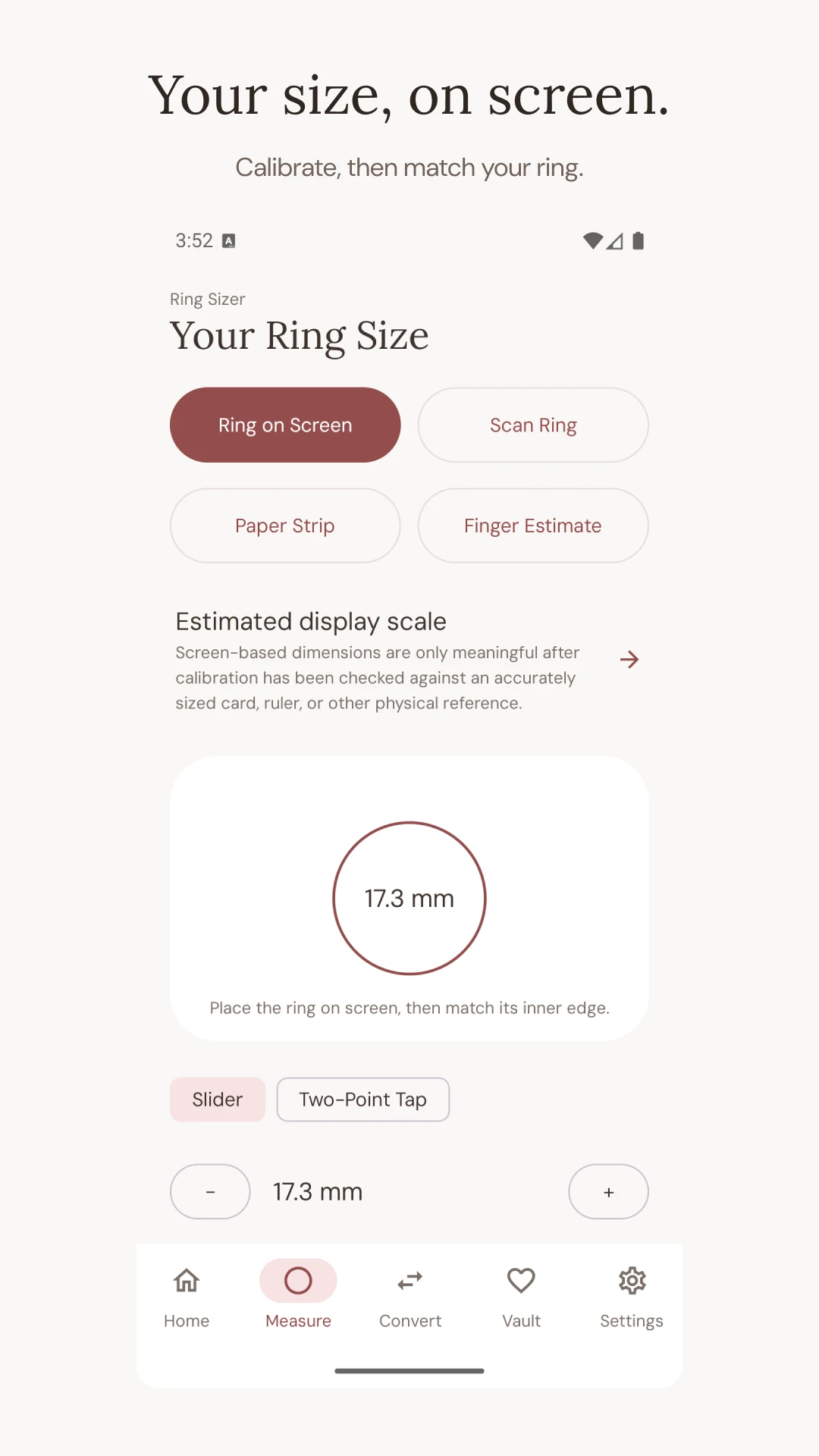
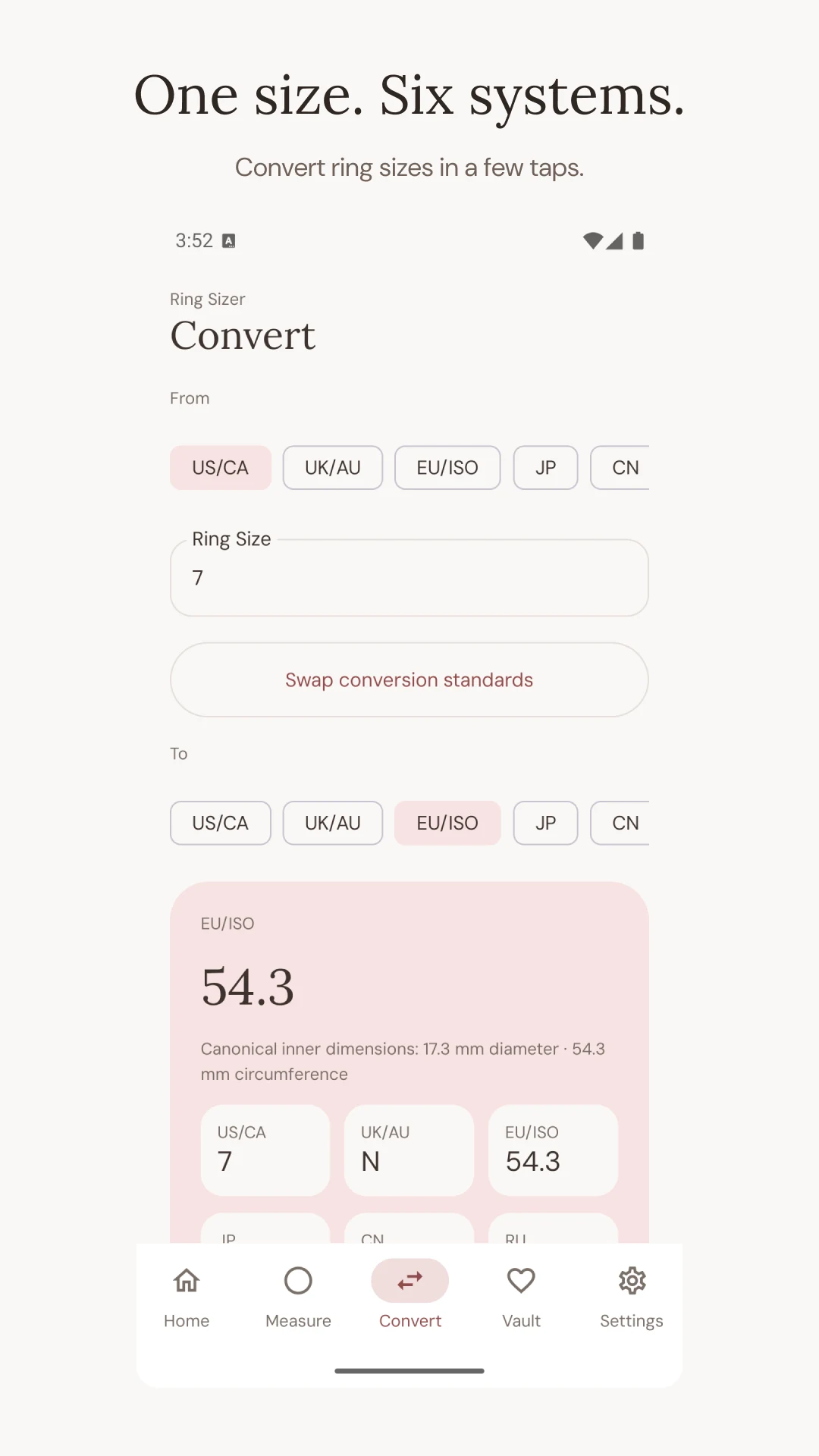
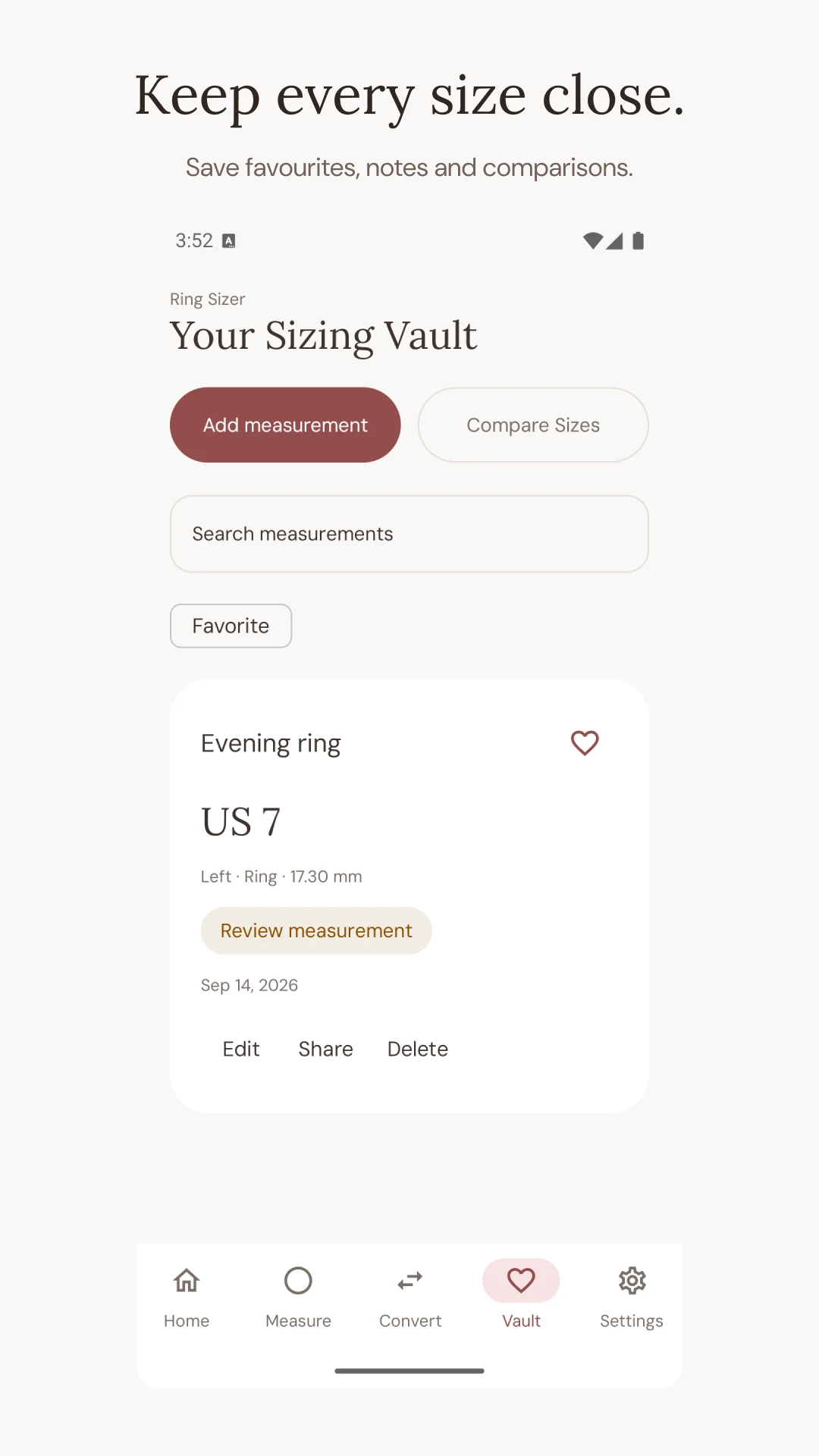
The iPhone app and Android app have their own releases and offers. Review the feature you plan to use in the installed version. The presence of both features in a listing is not evidence that they have identical free limits or controls on both platforms.
One worked example, two different records
Suppose a round existing ring has an estimated inner diameter of 17.0 mm. Multiplying by pi gives approximately 53.4 mm of circular circumference. This is an illustrative calculation for the opening, not a measured finger and not a promise that a particular size code will describe every seller’s finished ring.
You might separately generate a preview of a broad gold-coloured signet. That image can help you decide whether you like the style. It does not change the 17.0 mm reading, establish the signet’s actual opening or justify adding a fixed half-size. Ask about that signet’s width, inner profile and suitable fitting samples before choosing its size.
Keep the records distinct: one note for physical measurements and one for design preferences. A useful measurement note names the hand, finger, method, units and uncertainty. A useful style note names the feature you liked and the actual product specification you still need to check. Combining both into a single saved image can make it easy to lose that distinction.
Should you measure first or preview first?
For a deadline purchase, establish whether a workable physical fit is available early. A maker may not offer the required size or may need a different construction for that band. Discovering that constraint after settling on a generated image can lead to an avoidable change of plan. The fit and ordering process should not depend on a preview’s appearance.
For early style exploration, a preview can come first. Use it to narrow the kind of ring you want to see in person or discuss with a maker. Keep more than one option if the final dimensions or budget are unresolved. There is no reason to turn an exploratory image into a commitment before you have checked the actual product.
For a gift, remember that neither feature reveals a recipient’s unknown finger size from an ordinary hand photograph. A fitting reference ring, a conversation with the wearer or an agreed exchange plan is more useful. The gift-sizing guide addresses that separate problem without treating an attractive preview as hidden measurement data about another person.
Use previews carefully for custom orders
A maker may find a reference image helpful, but label what it is. If an image was generated, say that it illustrates a preference rather than a physically photographed finished ring. Ask the maker which elements are feasible and request actual dimensions for the proposed design. Do not assume the image communicates a complete manufacturing specification.
Send the measurement record separately from that style reference. For example, identify the intended hand and finger, the approximate opening of a reference band, its width if known and the fitting steps still needed. The maker can then discuss dimensions without having to infer them from perspective, a rendered stone or a decorative band in the image.
If buying through Etsy, our custom-ring message guide provides a measurement brief you can adapt. It does not imply that Ring Sizer is affiliated with Etsy or that a preview of one of our gallery designs represents the seller’s product. Keep those boundaries clear before requesting engraving, stone setting or any other work that could make later changes harder.
Which tool should you choose now?
Choose measurement when a physical value or conversion is missing. Choose a preview when you need help describing a visual preference. Choose a fitting sample when the unresolved question is comfort, joint passage or the behaviour of a particular width and profile. Sometimes the correct workflow uses all three, in that order or another sensible sequence.
If you are comparing apps, inspect those jobs separately rather than choosing the most dramatic image as proof of the best sizer. Check the free-tool options and decide whether a browser, a stored note or a native app meets the requirement. A long feature list is useful only when it includes something you will actually use.
Before placing an important order, you should be able to state both what you know and what you have not confirmed. A measured estimate, a preferred style and a physical fit are three different pieces of information. Keeping them separate makes each one more useful and prevents a persuasive image from standing in for a check it never performed.