Can Apple’s Measure app measure your ring size?
Apple’s Measure app is designed for approximate object dimensions, so do not use its reading alone to order a ring. A small error across a ring’s inner opening can change the size label. Use a suitable physical gauge or a carefully calibrated existing-ring method, preserve the original millimetres, and confirm the intended design’s fit.
If your iPhone already has a measuring app, installing another tool may seem unnecessary. Before using Apple Measure for ring size, separate two jobs: estimating the dimensions of an object in a room and choosing a small opening that must pass a particular finger joint. Both involve lengths, but they do not have the same tolerance for uncertainty.
This is a source-based explanation, not a hands-on accuracy contest between Apple Measure and Ring Sizer. We publish Ring Sizer and benefit when readers choose it. A dedicated ring interface does not make every result correct, and the number of decimal places on either screen is not evidence of measurement accuracy.
What does Apple say its Measure app can do?
Apple’s Measure instructions describe using the camera to estimate object dimensions, with automatic rectangle detection and manually selected endpoints. Apple calls the measurements approximate and recommends well-defined objects at a distance of 0.5 to 3 metres for best results. That guidance does not establish a verified ring-size tolerance.
The important distinction is the claim you can support. A result might help you describe the rough size of a box. It does not follow that the same workflow can distinguish the adjacent ring sizes a retailer offers. Choosing two points on a tiny reflective opening also requires you to identify the correct inner edges rather than the outer metal or its shadow.
If you already have an Apple Measure reading, keep it labelled with its source. Do not delete the method and send the figure to a jeweller as though a physical inside gauge produced it. The limitation belongs with the number wherever that number is reused.
Why can a small diameter error matter?
Consider a purely mathematical example. A circular ring opening with an inner diameter of 17.0 mm has a circumference of approximately 53.4 mm. If a measurement instead reads 17.5 mm, the calculated circumference is approximately 55.0 mm. A half-millimetre diameter difference has become about 1.6 mm around the opening.
Those figures demonstrate geometry, not the measured error of Apple Measure or any other app. We did not test a phone and obtain those results. The example explains why an apparently small endpoint difference deserves attention before the figure becomes an order instruction.
| Illustrative inner diameter | Calculated circular circumference | Meaning |
|---|---|---|
| 17.0 mm | About 53.4 mm | Starting example |
| 17.5 mm | About 55.0 mm | Different physical opening |
Our 17 mm comparison shows nearby reference rows. Converting a camera reading to a size label does not validate the original reading. A calculator can perform perfect arithmetic on an incorrectly selected edge.
Which method matches what you actually have?
If you have a sound, round ring that fits the intended finger, its inner opening is useful reference material. You can have it measured by a jeweller or use a physically checked screen scale. Suitable inside calipers are another possibility when the ring can be handled without damaging its finish, stones or setting. Follow the existing-ring measurement guide for those distinctions.
If you have no fitting ring, measuring an unrelated ring more carefully will not solve the problem. Measure the intended finger and check the joint separately. A flexible paper estimate and a rigid finished band are different things, so use an appropriate fitting sample before committing to an important purchase.
A casual photo of a finger is a third situation. The missing circumference and scale cannot be recovered merely by changing apps. The photo sizing explanation sets out when a reference object helps and when the image still cannot supply the needed information.
How is a calibrated on-screen ring tool different?
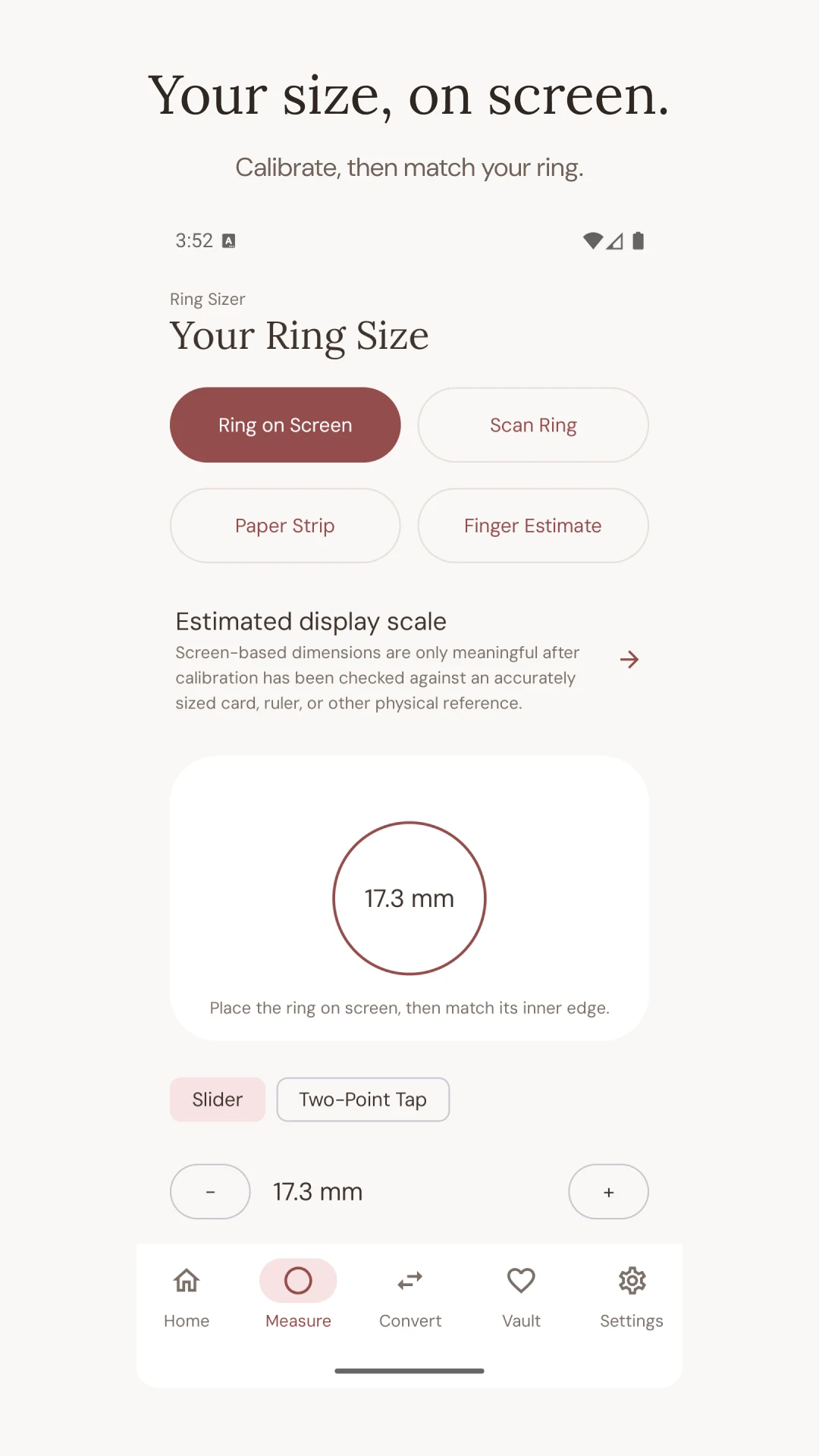
A screen tool gives you a visible shape to compare with an existing ring. The key is checking the physical display scale with the reference specified by that tool, then aligning the empty opening rather than the outside of the band. Zoom, device settings, placement and an uneven ring can still make the comparison unreliable.
The calibration article explains what that physical check establishes. It does not prove that a particular band will feel comfortable. A screen cannot reproduce the passage over your knuckle, the pressure of a wide band or contact between neighbouring rings.
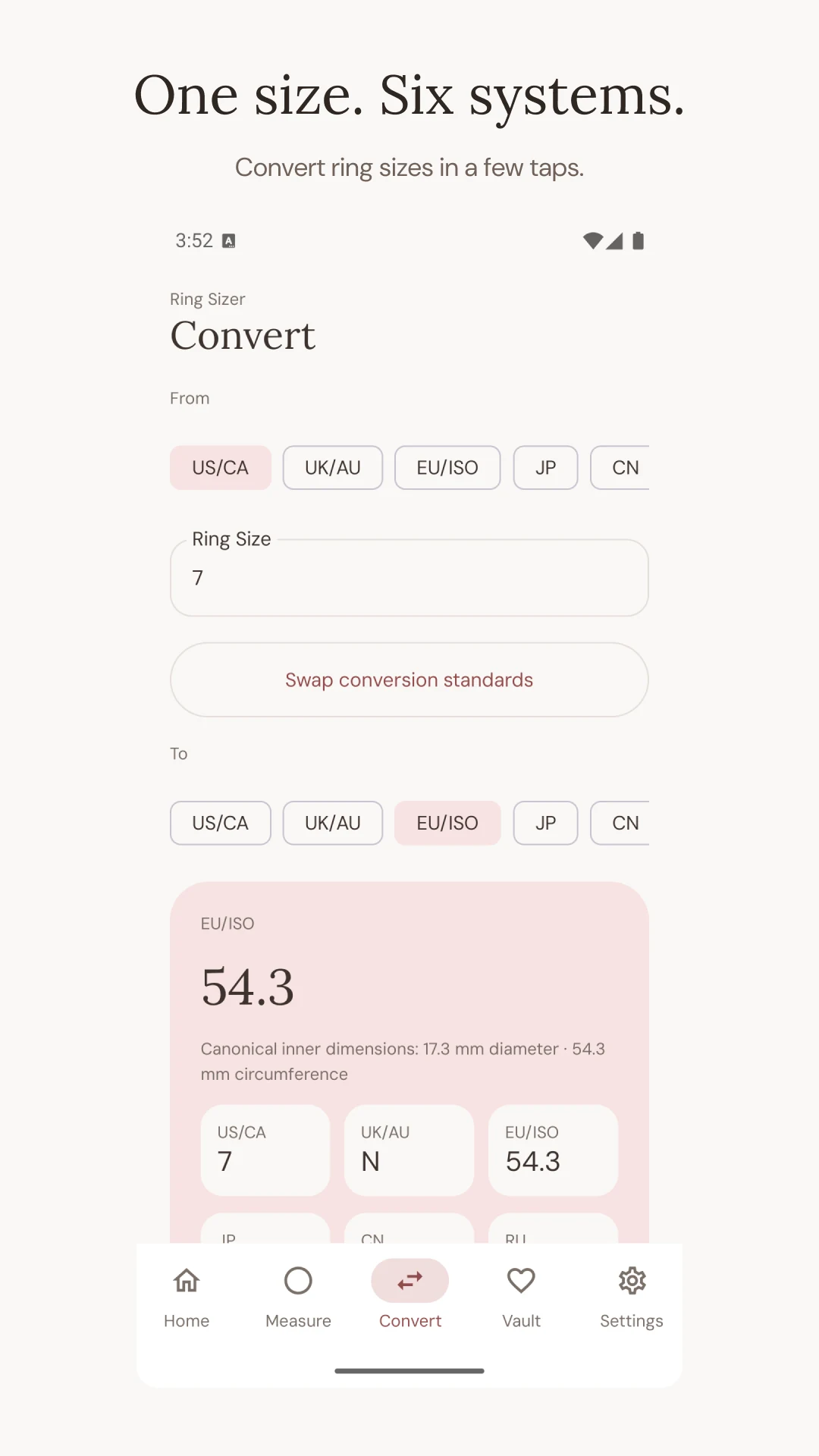
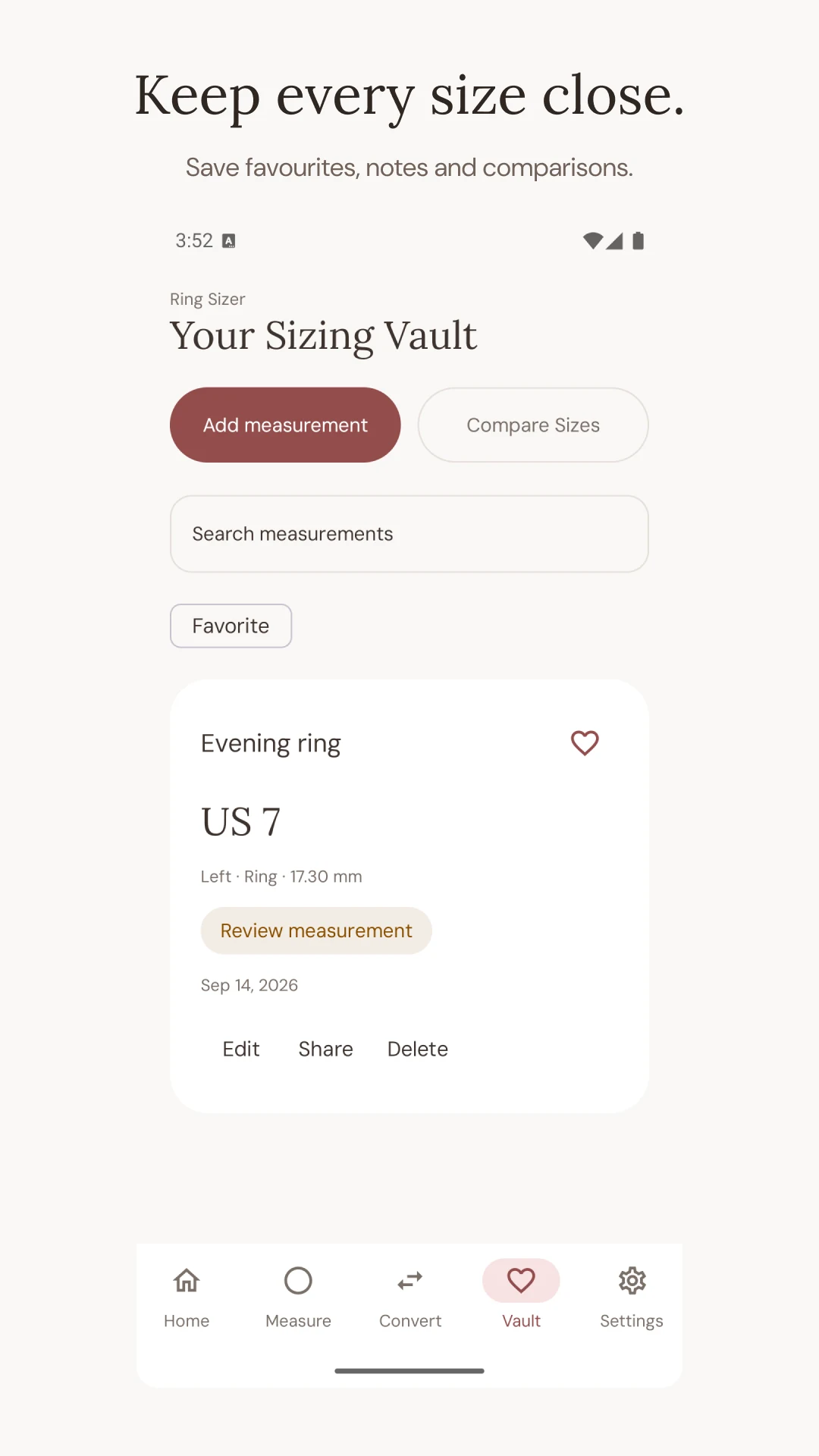
The Android workflow below is shown in real official store screenshots. It illustrates the measurement, conversion and record screens; it is not an Apple Measure screenshot or proof of an accuracy advantage. For iPhone-specific screens and instructions, use our separate iPhone walkthrough. Check the controls available in the version you actually install rather than expecting the two platforms to look identical.
Official Google Play screenshots, captured in English on Android. These images are not a calibrated measuring surface. App versions and reference charts may round size labels differently; keep your raw millimetre measurement and check the seller’s chart.
What should you do when two tools disagree?
Return to the input before choosing your preferred answer. Confirm that both readings refer to the inner diameter, use the same units and concern the same physical ring. A circumference entered as a diameter can create a much larger error than the difference you were trying to investigate. Check whether either tool rounded the value through a nominal size label.
Repeat the physical setup and keep each raw result. If you cannot reproduce the reading, record the spread instead of averaging it into a more impressive-looking decimal. A repeated calibration error can produce consistent results, so agreement within one method is not an independent validation.
Use a different kind of evidence when the disagreement affects the sizes you would order. A jeweller checking the ring and the intended finger can resolve information that more camera captures may not provide. Do not keep switching apps until one displays a hoped-for size. That selects an answer without improving the measurement behind it.
Save enough context to make the result useful
A useful record might say: “Left ring finger; existing narrow band; inner diameter approximately 17.0 mm; checked screen scale; wide wedding band not yet tried.” If you retain an Apple Measure estimate too, put it in a separate note with the method and date. This is an illustrative record, not a customer result or a recommendation to buy a particular size.
Ring Sizer’s iPhone listing describes saved measurements with notes and conversions. That can make repeated comparisons easier to keep organised. You can also use an ordinary written note; installing our app is not a requirement for making a sensible fit decision.
Before ordering, establish which chart the retailer uses, which increments it stocks and what happens if the finished ring does not fit. The practical outcome is a traceable estimate and a clear next fitting step. An approximate camera measurement alone cannot supply both.